Part II – What index?
The previous part of index describing showed some examples of DML fast execution.
Now not only char columns are used in BigData. And it seems that Oracle can't work with all of them:
"
You cannot create an index on columns or attributes whose type is user-defined, LONG, LONG RAW, LOB, or REF, except that Oracle Database supports an index on REF type columns or attributes that have been defined with a SCOPE clause.
"
Don't worry. Oracle DB has a workaround. There are many types of indexes.
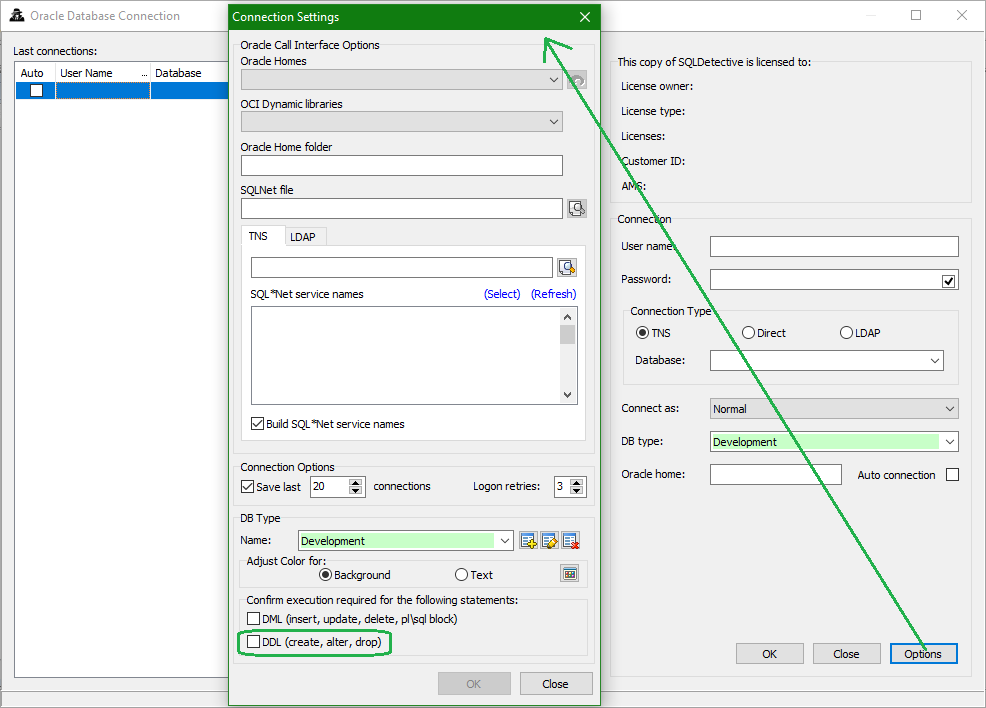
Note: The following screen shots are from Oracle SQL Developer and SQLDetective applications.
| Oracle SQL Developer | SQLDetective |
|---|---|

|
|
| Don't forget to set Storage parameters on index creating. Not all of them are allowed for altering: |
|
 |
|
| Create indexes only for frequent using statements because the index is stored in tablespace as a table copy. |
|
Here are some useful words from Oracle Documentation about index organizations:
* B-tree (short for balanced trees) indexes
* Index-organized tables
Index-organized tables are useful when related pieces of data must be stored together or data must be physically stored in a specific order. A typical use of this type of table is for information retrieval, spatial data, and OLAP applications.
A secondary index is an index on an index-organized table.
| Oracle SQL Developer | SQLDetective |
|---|---|

|
|

|
|
| Table Wizards for Index-Organized table creating | |
* Reverse key indexes
The bytes of the index key are reversed.
* Descending indexes
Descending order of data is used.
* B-tree cluster indexes
Instead of pointing to a row, the key points to the block that contains rows related to the cluster key.
| SQLDetective | |
|---|---|

|
|
| There is no Cluster Wizard in Oracle SQL Developer | |

|
|
| An index on cluster may be created by object wizard in SQLDetective only | |
* Bitmap and bitmap join indexes
In a bitmap index, an index entry uses a bitmap to point to multiple rows. In contrast, a B-tree index entry points to a single row
| SQLDetective | |
|---|---|

|
|
| Only SQLDetective 4.4 allows to set joins | |
* Function-based indexes
Function-based indexes are efficient for evaluating statements that contain functions in their WHERE clauses.
| Oracle SQL Developer | SQLDetective |
|---|---|

| |
| Type manually your formula into "Expression" editor. | |

|
|
| SQLDetective has a tool for generating an expression, but it's used in Query Builder only. |
|
* Application domain indexes
You can encapsulate application-specific index management routines as an indextype schema object, and then define a domain index on table columns or attributes of an object type. Extensible indexing can efficiently process application-specific operators.
| Oracle SQL Developer | SQLDetective |
|---|---|

|
|
| An indextype in Oracle SQL Developer you should create manually, it's not supported by object wizard. |
|
| SQLDetective supports the Indextype Wizard. | |
Accommodate indexes on customized, complex data types such as documents, spatial data, images, and video clips (see "Unstructured Data")
Make use of specialized indexing techniques
* System indexes are created automatically for table constraints except foreign key.
On index creating and modifying, please, don't fully rely on wizard UI as they support not all logical issues and some rare or not-described in Oracle Documentation clauses are not supported by the developer application.
For using index abilities you should create objects of some other types ("Create Table (index organized)", "Create Cluster", "Create Indextype", "Create Operator", "Create Type"):
| Oracle SQL Developer | SQLDetective |
|---|---|

|
|
| Oracle SQL Developer doesn't support Clusters and Indextypes wizards | |
Read about some other index options in the next topic.